The wrong resume format can make strong experience look weak in less than 10 seconds. If your layout hides the right details, the recruiter may never reach your best bullet point.
This guide explains the best resume format for 2026, when to use each resume layout, how to structure your sections, and what to avoid if you want an ATS-friendly resume. You will see practical examples for students, freshers, career changers, and professionals.
TL;DR
- Use reverse chronological format for most jobs.
- Use a hybrid layout if projects, skills, or education are stronger than work history.
- Avoid pure functional resumes unless you have a very specific reason.
- Keep the layout simple, readable, and easy to scan.
- Choose the format that puts your strongest proof first.
Table of Contents
What Resume Format Means in 2026
Resume format is the order and structure of your resume sections. It decides what the reader sees first, how fast they understand your fit, and whether your document is easy for online systems to parse.
A resume layout is like a store shelf. If the best item is hidden behind five unrelated things, shoppers leave. Recruiters do the same when your most relevant proof is buried.
- Reverse chronological: recent work experience first.
- Functional: skills grouped first, work history reduced.
- Hybrid: skills or summary first, then experience and projects.
- Student format: education, projects, and internships near the top.
For most online applications, the best resume format is the one that is clear, keyword-friendly, and honest. It should not make the recruiter guess where you worked, what you learned, or why you fit the role.
How to Choose the Best Resume Format
Step 1: Start with your strongest proof
Choose the section that proves your fit fastest. If you have recent relevant work, lead with experience. If you are a student, education and projects may deserve the top position.
A recruiter hiring an intern expects coursework and projects. A recruiter hiring a manager expects job results. Your format should respect that difference.
Step 2: Use reverse chronological format for most jobs
This format lists your newest role first and moves backward. It is trusted because it shows growth, dates, titles, and responsibilities clearly.
Use it if you have steady work history, internships, part-time jobs, or recent experience that matches the job. It is also the safest resume layout for applicant tracking systems.
Step 3: Use a hybrid resume layout when your path is not straight
A hybrid format can help if you are changing careers, returning after a gap, or applying with strong projects but limited job history. It gives space for a summary and skills before the timeline.
Free tools like AICV Create can help with this choice. You can pick a template, add your details, and download a clean PDF without rebuilding the layout from scratch.
Step 4: Keep functional resumes rare
A pure functional resume hides dates and job history. That can make recruiters suspicious, even when your reason is fair.
If you need to show transferable skills, use a hybrid format instead. It lets you highlight skills while still showing a real timeline.
Step 5: Compare your layout before sending
Look at the difference between vague layout and focused layout.
| Weak layout | Better layout |
|---|---|
| Objective, long skills list, old job, education, projects | Summary, matching skills, relevant project, recent job, education |
| Two columns with key dates in a sidebar | One clean column with dates beside each role |
| Functional skills only | Hybrid format with skills plus work timeline |
For a closer look at online screening, read what an ATS-friendly resume is.
Step 6: Check the format against the job level
A beginner resume should not look like an executive resume. A senior resume should not hide leadership work behind a tiny skills list. Match the structure to the level of the role.
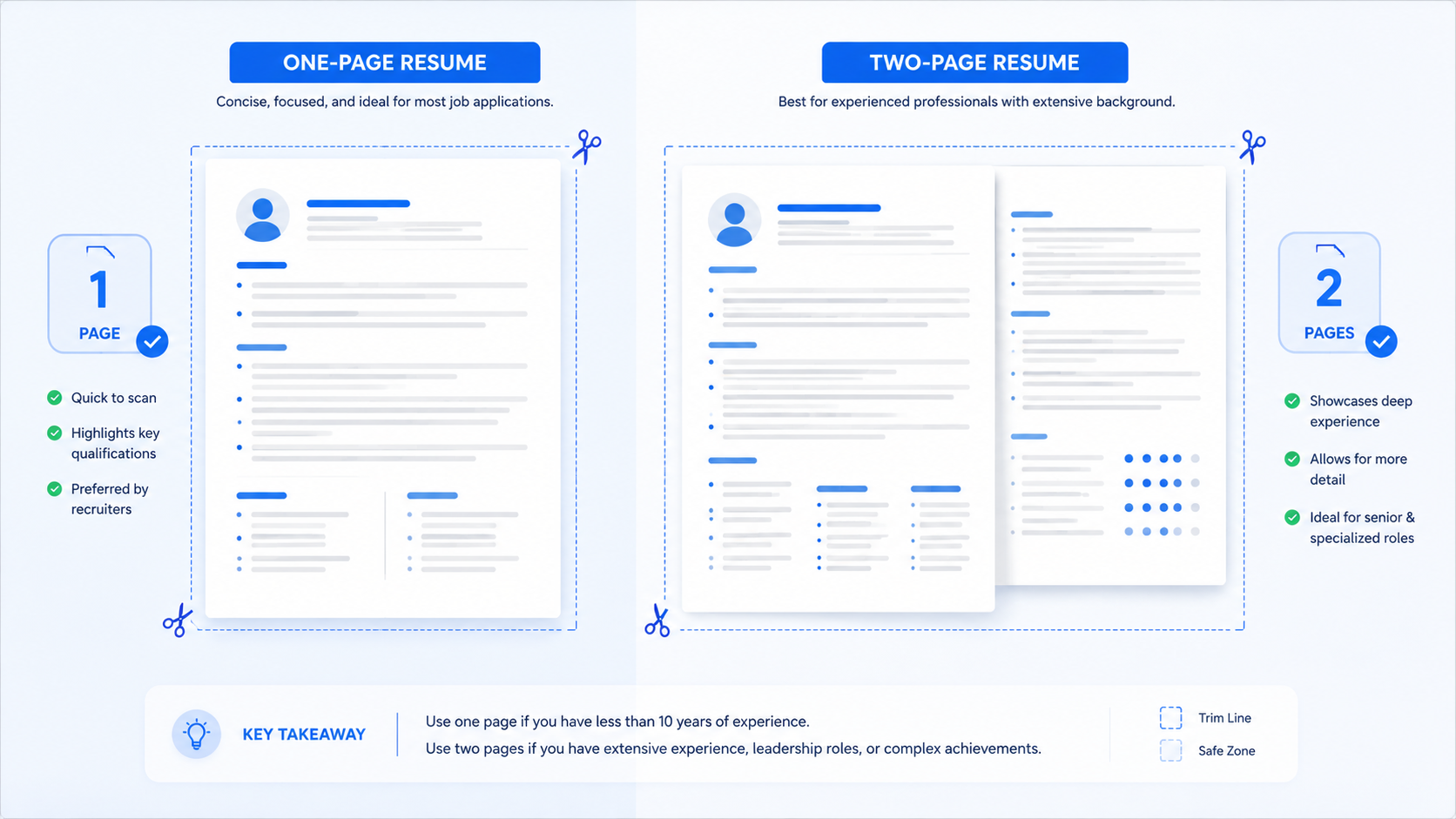
Entry-level applicants usually need one page with education, projects, internships, and part-time work. Mid-level applicants need stronger work history and measurable bullets. Senior applicants need leadership, ownership, systems, and business impact.
Step 7: Make the resume layout easy to skim
Use bold only for section headings, job titles, company names, and major labels. Keep bullet points short enough that a recruiter can scan them without stopping.
A good resume layout should guide the eye down the page. If every line has the same weight, nothing stands out. If everything is bold, nothing stands out either.
Resume Format Mistakes to Avoid
- Choosing design over clarity: A beautiful resume that hides job titles, dates, or skills is not doing its job.
- Using a functional format to cover gaps: It can raise more questions than it answers. Explain gaps briefly instead.
- Putting education too low as a fresher: If your degree, coursework, or projects are your best proof, move them up.
- Adding too many sections: Awards, hobbies, certificates, and languages are useful only when they support the target role.
- Using tiny fonts to fit more: If the page feels crowded, cut weaker content instead of shrinking the text.
Pro Resume Layout Tips
- Use section names recruiters expect. Work Experience, Education, Skills, Projects, and Certifications are easy to scan.
- Keep margins normal. Tight margins make the page feel desperate and hard to read.
- Put keywords in real sections. Do not hide keywords in white text or footer tricks.
- Make the first half of page one count. Your summary, skills, and first experience should match the job quickly.
★ PRO TIP: Copy your resume text into a plain text editor before applying. If the order looks broken, an ATS may read it badly too.
AICV Create helps you avoid this because its templates are built around clean sections, readable spacing, and PDF export.
Before and After Resume Format Example
Imagine a college graduate applying for a marketing assistant job. The first version starts with an objective, then lists unrelated part-time work, then hides a strong class campaign project near the bottom.
The improved version starts with a short marketing summary, adds skills like social media content, Canva, Excel, and research, then places the campaign project before unrelated work history.
The content did not magically change. The format changed the story. The recruiter now sees the marketing fit before seeing the retail job.
For student-specific layouts, see best resume format for college students.
Best Resume Format by Situation
The same resume format will not work equally well for every applicant. The right choice depends on what you need to prove first.
If you are a student or fresher
Use a one-page layout with education, projects, internships, skills, and activities near the top. Do not worry if your paid work history is short. Show school projects, coursework, volunteer work, and tools that match the job.
If you are changing careers
Use a hybrid format. Start with a short summary that explains the target role, then list matching skills and projects before your older work history. This helps the reader understand the career move quickly.
If you have steady experience
Use reverse chronological format. Lead with your latest role, strongest bullets, and measurable work. Keep older experience shorter unless it directly supports the job.
If you have an employment gap
Do not hide the whole timeline. Use a clear format, explain the gap briefly when needed, and place recent training, projects, volunteer work, or freelance work where it helps show current readiness.
The goal is not to choose the fanciest resume layout. The goal is to make your strongest evidence obvious before the recruiter loses interest.
Quick ATS Format Check
Before you apply, run a simple ATS format check yourself. Copy the resume text from your PDF and paste it into a plain text document. If the order is confusing, your upload may confuse a system too.
- Contact details should appear at the top.
- Job titles, company names, and dates should stay together.
- Skills should appear as readable words, not only icons.
- Bullets should remain under the correct job or project.
This test is not perfect, but it catches many layout problems. If the text looks broken, choose a simpler format before sending the application.
Build Your Resume Free with AICV Create
You can spend hours moving sections around, or you can start with a layout already built for job applications. AICV Create helps you choose a clean resume format and write stronger content inside it.
- ATS-friendly templates
- AI writing suggestions for summaries and bullets
- Instant PDF download, free to start
→ Create your free resume at aicvcreate.com — no account needed to get started.
One final rule: do not choose a format because it looks different. Choose it because it makes the hiring decision easier. If a recruiter can see your role, skills, dates, and proof without effort, the format is doing its job.
When in doubt, send the simpler version. A clean page with strong content almost always beats a busy page that asks the recruiter to work harder. It also makes future edits easier when you tailor the resume for another job, internship, or promotion later. That flexibility matters when you apply to several roles in one week.
FAQ
What is the best resume format in 2026?
The best resume format for most applicants is reverse chronological because it shows recent experience first and is easy to read. Students and career changers can use a hybrid layout if projects, skills, or education are stronger than paid work history.
How do I choose a resume layout?
Choose the layout that puts your strongest proof first. If you have relevant work, lead with experience. If you are a fresher, lead with education, projects, and skills. Keep the format simple and readable.
Is a two-column resume format ATS-friendly?
A simple two-column resume can work, but one-column layouts are safer for online applications. Avoid putting dates, job titles, or skills inside graphics, icons, or sidebars that may parse badly.
Can I make a resume format free?
Yes. AICV Create lets you start free with ATS-friendly resume templates, guided sections, writing suggestions, and PDF download. It helps you avoid layout mistakes without starting from a blank document.
Should freshers use a functional resume format?
Most freshers should not use a pure functional format. A hybrid format is better because it highlights education, projects, and skills while still showing any internship, volunteer, or part-time work clearly.