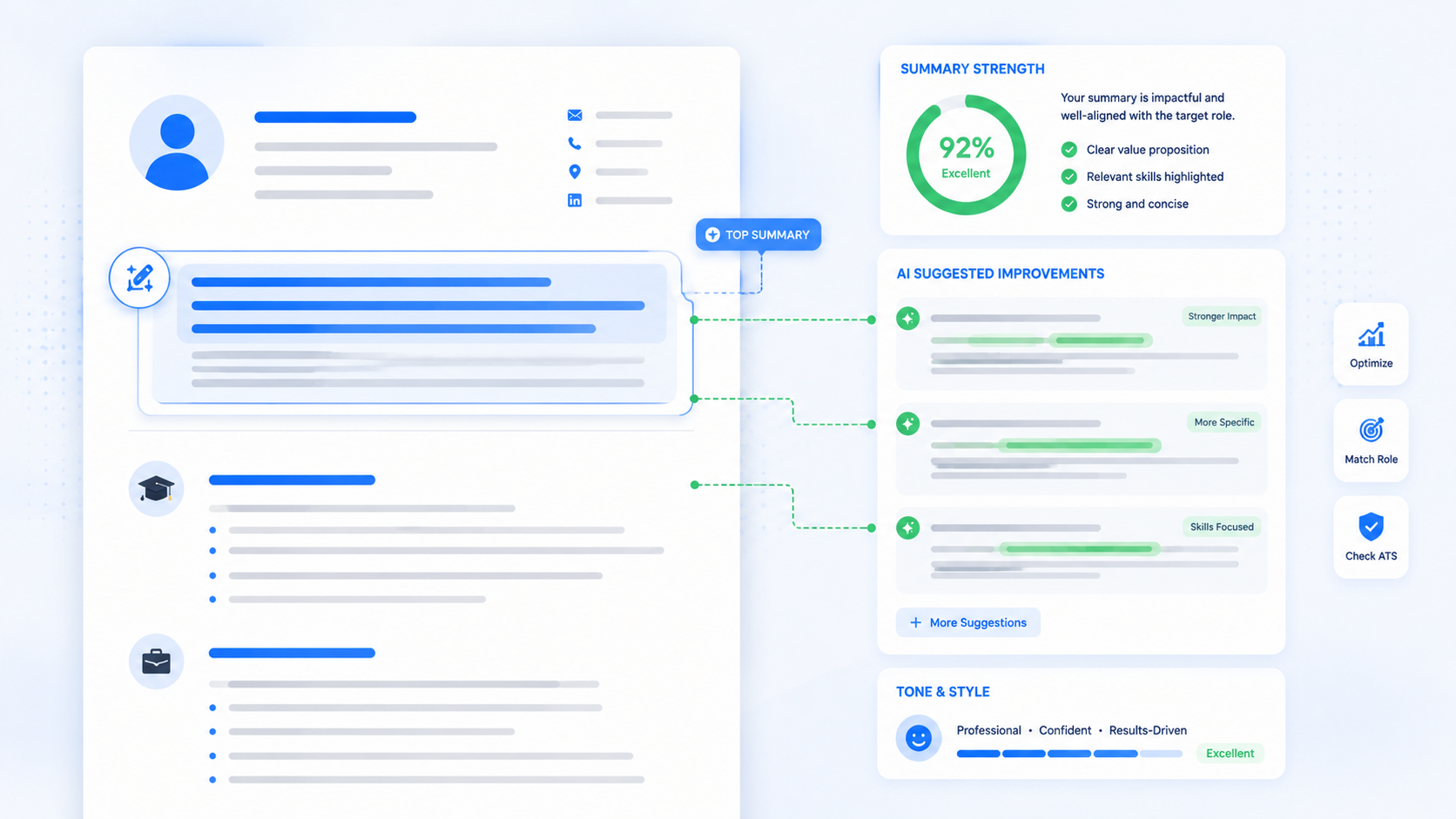
A weak resume summary can make a good candidate look average in less than 10 seconds. Recruiters often scan the top of a resume first, so this small section has a big job: explain who you are, what you do well, and why your background fits the role.
This guide shows you how to write a professional summary that feels specific, honest, and easy to read. You will learn the difference between a resume objective and a summary, how to build yours step by step, what mistakes to avoid, and how to turn a flat opening into a stronger first impression.
TL;DR
- A resume summary is a short opening section that shows your fit for a target job.
- Use two to four lines, not a long paragraph.
- Lead with your role, strongest skills, and proof.
- Use a resume objective only when your career goal needs quick context.
- Tailor your summary for each job description before applying.
Table of Contents
What a Resume Summary Should Do
A resume summary should help a recruiter answer one question fast: "Is this person worth a closer look?" It is not your life story. It is not a list of soft skills. It is a focused preview of your best fit for the job.
Think of it like the label on a file folder. If the label is clear, the reader knows what is inside. If it says only "hard-working professional," the reader still has to guess.
- Identify your role: student, assistant, designer, analyst, software engineer, manager, or career changer.
- Name relevant strengths: tools, skills, industries, projects, or work settings that match the job.
- Add proof: experience, results, coursework, certifications, or a real project.
- Set the direction: make the target role obvious without sounding needy.
A professional summary works best when it connects your background to the employer's need. If you only write what you want, you are closer to a resume objective. If you write what you can do for the employer, you are building a stronger opening.
How to Write a Resume Summary Recruiters Read
Step 1: Start with the job you want
Name the target role or role family in plain language.
This keeps your summary focused. A college student applying for office assistant roles should not sound like they are applying for marketing, retail, and data entry at the same time. Pick one direction for each version of your resume.
Step 2: Pull three clues from the job description
Choose the top skills, tools, or qualities the employer repeats.
If a job description mentions scheduling, customer service, Microsoft Excel, and detail accuracy, those clues tell you what the summary should support. Do not copy the posting word for word. Use the same ideas only when they honestly match your background.
This same clue-pulling process is worth doing across your whole resume — see how to match your resume to a job description.
Step 3: Add proof instead of claims
Back up your strengths with one real detail.
Proof can be a number, a project, a course, a work setting, a tool, or a type of customer you served. "Strong communicator" is weak by itself. "Presented weekly updates to a 12-person student project team" gives the reader something real.
Free tools like AICV Create can help you turn notes into cleaner resume wording while keeping the details based on your real experience.
Step 4: Keep it short and easy to scan
Write two to four lines, then cut anything repeated below.
Your work history, education, and skills sections will carry the details. The summary should introduce them. If the summary takes six lines, it is probably trying to do too much.
Step 5: Compare a weak summary with a stronger one
Use this simple test: would the line still fit hundreds of other people? If yes, make it more specific.
| Weak | Stronger |
|---|---|
| Hard-working student looking for an opportunity to grow. | Business student with customer service experience, Excel coursework, and campus event planning skills seeking an entry-level office assistant role. |
| Experienced professional with great communication skills. | Administrative coordinator with 4 years of scheduling, vendor communication, and document tracking experience for busy operations teams. |
| Software engineer seeking a challenging role. | Software engineer with React, Node.js, and API project experience, focused on building clean user interfaces and reliable backend services. |
The stronger versions work because they show role, skills, context, and direction. They do not try to sound impressive through big words. They give useful information fast.
Step 6: Read it out loud before you send it
Check that the summary sounds like a real person wrote it.
If it feels stiff, shorten the sentences. If it feels too casual, add one concrete skill or result. A good resume summary should sound professional, but not like a template copied from the internet.
Resume Summary Mistakes to Avoid
- Writing only what you want: A resume objective that says you want to learn and grow does not show why the employer should choose you. Add skills and proof.
- Using empty adjectives: Words like motivated, passionate, and dedicated mean little without evidence. Replace them with tasks, tools, or results.
- Making it too long: A six-line opening slows the reader down. Keep the summary short and move detailed proof into the right sections.
- Sending the same summary everywhere: A generic opening makes your resume feel unfocused. Tailor the top lines for each target role.
- Repeating your job title only: If your summary says "Experienced sales associate" and nothing else, it wastes space. Add setting, skill, or achievement.
These sit alongside other common resume mistakes that cost interviews, so it's worth reviewing both together.
Professional Summary Tips Most People Skip
- Write the summary last. Finish your skills and experience sections first. Then choose the best details for the opening.
- Use the employer's language carefully. If the job says "client onboarding" and you have done that work, use that phrase. If you have not, do not fake it.
- Build one summary per role type. Keep versions for admin jobs, sales jobs, tech jobs, or internships so tailoring is faster.
- Match your summary to the first job or project below it. The reader should see proof right after your opening statement.
★ PRO TIP: After writing your summary, cover the rest of your resume and ask, "Can someone tell what job I am applying for?" If the answer is no, your summary needs a clearer target.
AICV Create can help with this part because you can test different professional summary versions, adjust wording, and keep the final layout ATS-friendly.
For more wording to model, browse these resume summary examples for beginners.
Before and After Resume Summary Example
Here is a realistic example for a recent graduate applying for a junior marketing coordinator role.
Before: Recent graduate looking for a marketing job where I can use my skills and gain experience. I am creative, organized, and ready to learn.
After: Marketing graduate with internship experience creating social media captions, tracking campaign engagement in spreadsheets, and supporting campus event promotions. Skilled in Canva, Google Sheets, and deadline-based project work.
The before version is common, but it is mostly about the applicant's wish. The after version gives the recruiter useful signals: education, internship, content work, tracking, tools, and project habits.
Here is another example for a career changer moving from retail into customer support.
Before: Seeking a customer support position where I can bring my experience and grow with a company.
After: Customer-facing retail professional with 3 years of experience resolving shopper questions, handling returns, and documenting order issues. Known for calm communication during busy shifts and accurate follow-up.
The stronger version does not hide the career change. It connects retail experience to support work. That is the goal of a resume summary: help the reader see the bridge.
Resume Objective vs Professional Summary
A resume objective explains your goal. A professional summary explains your value. Older resume advice often used objectives because applicants mailed or handed in resumes with less context. Online hiring now rewards clarity and proof.
A resume objective can still work if you are changing careers, returning after a break, applying for your first job, or targeting an internship. The key is to avoid a one-sided statement.
Weak objective: To get a job where I can learn and grow.
Better objective: Entry-level IT support candidate with Google IT coursework, customer service experience, and hands-on troubleshooting practice seeking a help desk role.
The better version is still goal-focused, but it gives the employer reasons to care. That makes it act more like a summary, which is usually what you want.
Resume Summary Templates You Can Adapt
Use these templates as starting points. Replace every bracket with real details from your background.
- Student: [Major or program] student with [skill one], [skill two], and [project/coursework] experience, seeking [target role].
- Fresher: Entry-level [role] candidate with training in [tool/skill], experience in [project/activity], and strong [workplace skill].
- Professional: [Job title] with [number] years of experience in [area], including [task], [tool], and [result or setting].
- Career changer: [Current background] professional moving into [target field], bringing [transferable skill], [proof], and [relevant training].
Templates are helpful, but they should disappear into your own details. If the final line sounds like anyone could use it, keep editing.
Build Your Resume Free with AICV Create
You do not have to write your resume summary from a blank page. AICV Create helps you organize your details, improve your wording, and build a polished resume faster.
- ATS-friendly resume templates
- AI writing suggestions for summaries and bullet points
- Instant PDF download, free to start
→ Create your free resume at aicvcreate.com — no account needed to get started.
FAQ
What is a resume summary?
A resume summary is a short section at the top of your resume that explains your role, skills, and best proof for the job. It helps recruiters understand your fit before they read your full work history.
How do I write a resume summary with no experience?
Focus on education, projects, volunteer work, internships, and skills. Mention the role you want, two or three relevant strengths, and one proof point such as coursework, a project, or customer-facing experience.
Is a resume objective better than a professional summary?
A professional summary is usually stronger because it focuses on what you offer. A resume objective can work for students or career changers, but it should include skills and proof, not only your goal.
How long should a resume summary be?
Most summaries should be two to four lines, or about 35 to 70 words. Keep it short enough to scan quickly and specific enough to show why you fit the target role.
Can a resume builder help write my professional summary?
Yes. A builder like aicvcreate.com can help you draft, improve, and format your summary using your real background. Review the wording, tailor it for the job, and download an ATS-friendly resume.